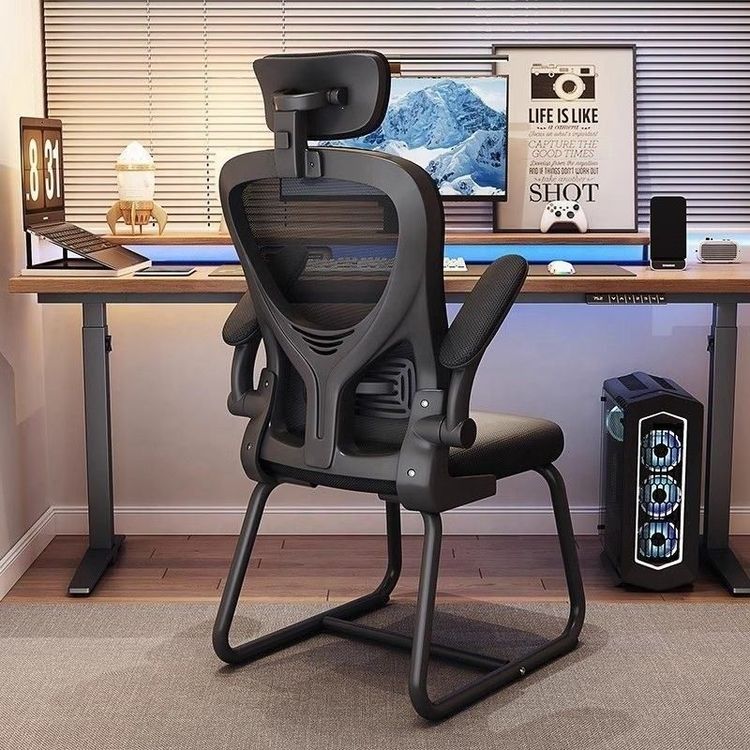
Office Chair Seat Adjustment
Office chair seat adjustment can be carried out in several aspects, including seat height, sitting posture angle, armrest height, and adjustments to other special parts.

Seat Height Adjustment: Look for the hand control device. Commonly, you can adjust the height by pulling up the corresponding control lever or turning the knob. For some pneumatic models, you can repeatedly push the lever up and down to raise or lower the seat. When adjusting, ensure that your feet can rest flat on the ground, with the angle between your thighs and calves maintained between 95 and 100 degrees. If the chair is too high and your feet are dangling, use a footrest. If the chair is too low, it will increase the pressure on your knee joints. You can also adjust from a standing position so that the front of the chair is just below your knees. When working on a computer, keep your eyes level with the monitor and adjust the seat height accordingly. When working at a desk, keep your elbows at desk height. When sitting for long periods, adjust the chair height so that your feet rest flat on the floor. If the chair is too high, you can also prepare a footstool, slide it under the desk, and place your feet on it.
Sitting Posture Angle Adjustment: Lean back slightly, with an angle of about 100 to 110 degrees. This posture can effectively reduce the pressure on your lumbar spine. The key is to have your entire back, especially your lower back, fit snugly against the chair back. If the chair is equipped with a lumbar support, adjust it to the point that exactly supports the natural curve of your lumbar spine. This will provide good support for your lower back and reduce fatigue and injury caused by prolonged sitting.
Armrest Height Adjustment: Adjust the height of the armrests so that when your elbows hang naturally, your forearms can rest easily on the armrests or the desktop. At this time, the angle between your upper arms and forearms is close to 100 degrees. This posture helps reduce the pressure on your arms and shoulders. If you don't need arm support, you can remove the armrests or lower them to avoid obstructing your knees from sliding under the desk.
Other Adjustments: Some chairs have special designs. For example, the Qingxian Dynamic Ergonomic Chair has a headrest that can be pulled up to adjust the height and can also be adjusted forward and backward to meet the needs of different users for head support and provide a more comfortable sitting experience.