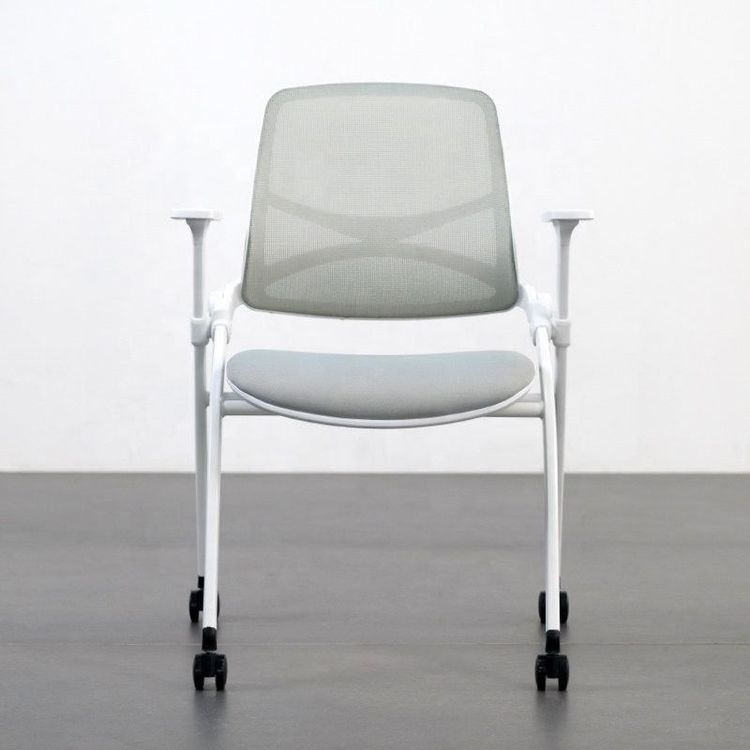
Looseness of Office Chair on Left and Right Sides
The looseness of an office chair on the left and right sides can be resolved through targeted troubleshooting and repair. Common causes and handling steps are as follows:

I. Preliminary Safety Inspection and Observation
Place the chair in a non-loaded and level state. Visually inspect key parts such as the tray and base for cracks, deformation, or detached components. Shake the seat with your hands to identify the source of the looseness (such as the connection between the tray and seat, the interface between the gas lift and the tray, or the base components), providing direction for subsequent repairs.
II. In-depth Cause Diagnosis
- Loose Mechanical Connections
Prolonged use may cause the screws connecting the seat cushion to the tray and the tray to the five-star base to become loosened. It is necessary to focus on checking the tightness of the screws, especially at concealed connection points. - Worn Nylon Sliders/Plastic Clips
The nylon sliders that control the tilt angle inside the tray or the plastic clips used for fixation may wear out after long-term friction, leading to increased gaps and looseness. Such wear is often accompanied by abnormal noises or malfunctioning tilt features. - Aging of Interface Components
The metal clips or inner plastic sleeves at the interface between the gas lift and the tray may wear out or become loose, resulting in an unstable connection. If the lift functions normally but the looseness is concentrated at the interface, this area should be prioritized for inspection. - Gas Lift Issues
If the looseness is accompanied by a malfunctioning lift or slow sinking, it may be due to gas leakage inside the gas lift. In this case, the gas lift needs to be replaced (the overall cost is approximately 19 yuan), rather than just addressing the tray. - Base Deformation or Component Wear
Remove the bottom cover and inspect whether the plastic clips have become brittle and broken or whether the wheel axles have shifted. If the clips are loose, they can be reset with pliers; if the plastic parts are shattered or the wheels are severely misaligned, the entire base assembly needs to be replaced.
III. Targeted Repair Operations
- Screw Tightening
Use an appropriate screwdriver or wrench to tighten all visible connecting screws one by one. If the screw holes are stripped, wrap Teflon tape around the screws to increase friction, or replace them with larger screws or use thread repair tools. - Replacement of Worn Parts
After confirming that the nylon sliders, plastic clips, or interface plastic sleeves are worn, purchase corresponding replacement parts online or contact the manufacturer. Common screw specifications for office chairs are metric M6 (6mm in diameter) with lengths of 20-30mm. It is recommended to disassemble the old parts for measurement or bring them for comparison when purchasing. - Overall Tray Replacement
If the metal structure of the tray is severely deformed or worn and cannot be repaired with small parts, purchase a new tray of the same model or a universal model for replacement. When replacing, ensure that the mounting holes are aligned to avoid secondary damage caused by forced assembly.
IV. Handling of Special Cases
If the screw holes are enlarged due to wear, insert toothpicks or thin wooden sticks dipped in white glue into the holes. After the glue dries, reinsert the screws. When replacing the gas lift, spray WD40 on the connection, heat it with a hairdryer, and then use a heavy-duty pipe wrench to rotate and pull out the old lift counterclockwise. Clean the mounting hole in the base, insert the new lift vertically, and tap it firmly into place.