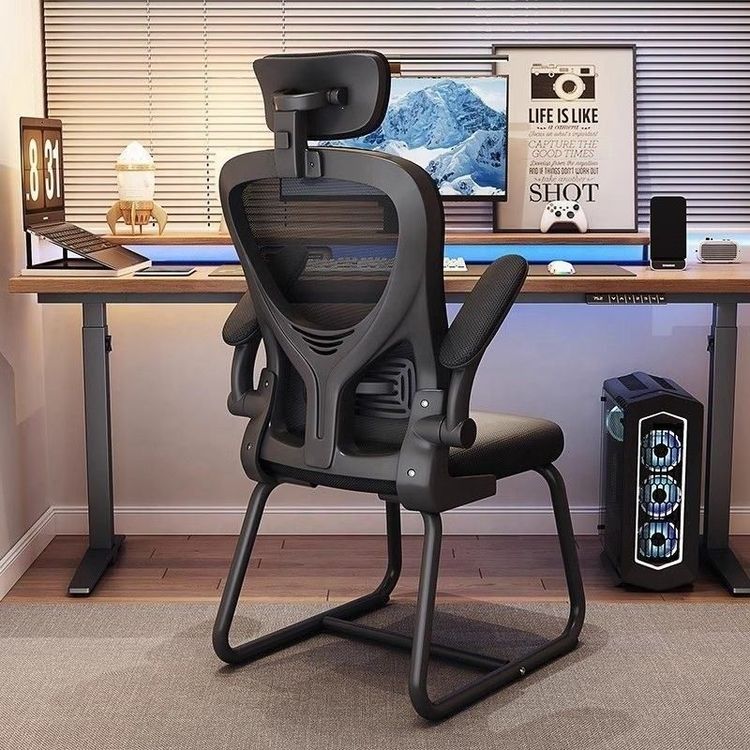
AI-Drawing Office Chair
AI-drawing office chairs can be realized through various technical tools, covering the entire process from basic modeling to advanced conceptual design. Here are specific methods and case descriptions:

1. 2.5D Modeling Based on Illustrator
Adobe Illustrator's 3D functionality can quickly generate 2.5D renderings of office chairs. The specific steps are as follows:
- Use the Rectangle Tool to draw the side profile lines of the chair, including the geometric shapes of the backrest, seat, and legs;
- After selecting the shape, use the "Effect-3D-Extrude & Bevel" function to set the position parameter to "Isometric-Right" to simulate a three-dimensional perspective;
- Adjust the "Extrude Depth" parameter to control the chair's three-dimensionality, for example, setting the backrest thickness to 15pt and the seat to 10pt;
- Add surface textures or color fills to complete the basic model rendering.
This method is suitable for quickly generating simple structural diagrams of office chairs but cannot achieve complex curved surfaces or realistic material representations.
2. Intelligent Generation with MAX's Built-in AI Tool
The TyDiffusion AI tool in MAX software can automate the generation of full-process design solutions for office chairs:
- Input design requirement keywords (such as "red leather + stainless steel metal + modern style"), and the AI automatically generates multiple product models;
- Supports dynamic effect production, such as generating 360-degree rotation animations of the chair, automatically calculating perspective angles and light and shadow changes;
- The output results include high-precision renderings, with the reflective effects of metal parts and the texture details of leather closely resembling real physical properties.
This technology significantly shortens the design cycle and is particularly suitable for the conceptual verification phase requiring rapid iteration.
3. AI-Assisted Conceptual Design Optimization
AI technology can assist designers in completing the entire design process from sketches to finished products:
- Through machine learning, analyze a large number of excellent office chair cases to automatically extract造型 features (such as streamlined backrests and ergonomic curves);
- Based on the initial sketches input by the designer, the AI generates multiple variant solutions and annotates the front/back structural relationships;
- Combined with parametric design tools, automatically optimize the load-bearing structure of the chair legs or the support angle of the backrest.
Such design outcomes typically have a simple and aesthetically pleasing appearance and meet basic engineering mechanics requirements.
4. Algorithmic Generation in Futuristic Style
Using AI algorithms such as Generative Adversarial Networks (GANs), traditional design paradigms can be broken through:
- Input style keywords (such as "minimalism" and "parametric design"), and the AI generates chair models with a transparent technological feel;
- Material applications include avant-garde options such as carbon fiber and liquid metal, with non-symmetric or hollowed-out structures in the design;
- Some solutions even integrate intelligent functions, such as embedding sensors to monitor sitting posture.
Such designs are more used for exploratory research, providing innovative inspiration for actual product development.