Back to blog
Article
SolidWorks Office Chair Design
Admin October 19, 2026
SolidWorks can complete the entire design process of office chairs, covering basic modeling to surface design, and there are various learning resources and model references available. Here are the specific details:

1. Surface Modeling as the Core Design Method
Office chair design often involves complex surface structures. For example, the seat cushion needs to be modeled using surfaces to achieve an ergonomic shape. Typical steps include:
- Sketch Drawing: Draw the boundary contour sketch of the chair seat cushion on a reference plane, ensuring that the dimensions comply with ergonomic standards (e.g., seat depth of 400-450mm and seat width of 380-420mm).
- Surface Generation: Use the 'Boundary Surface' command to control the surface shape with guide lines, simulating the curvature and wrap-around feel of the seat cushion.
- Solid Conversion: Convert the surface into a solid using the 'Thicken' command, with a typical thickness of 20-30mm to ensure structural strength.
- Detail Processing: Use the 'Extruded Cut' command to create holes (e.g., ventilation holes) and the 'Fillet' command to smooth edges, avoiding stress concentration.
2. Part Modeling and Assembly Process
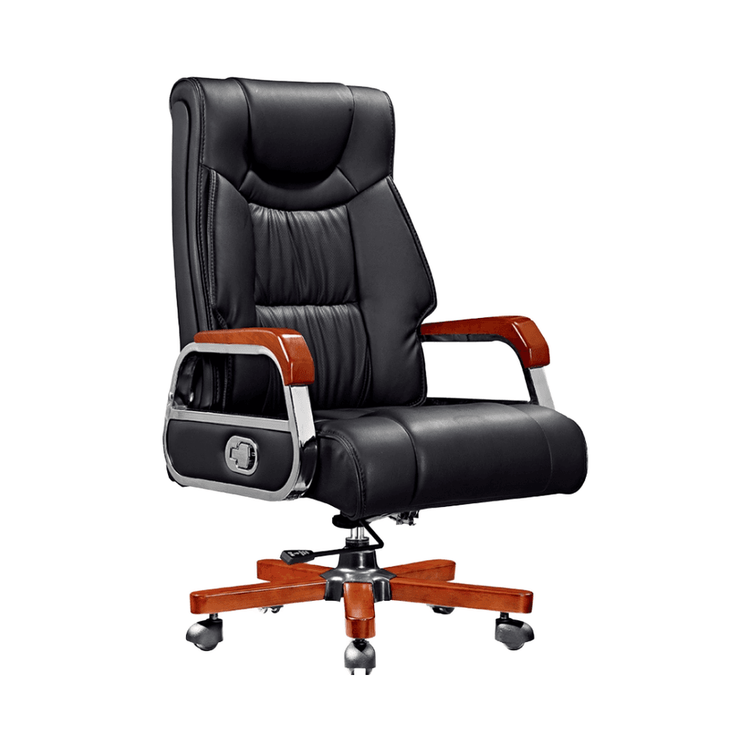
An office chair consists of multiple parts such as the seat cushion, backrest, armrests, five-star base, and gas lift. These parts need to be modeled separately and then assembled:
- Part Modeling: For example, the backrest can be generated using the 'Loft' command to create a streamlined surface, while the armrests can be achieved by combining 'Extrude' and 'Sweep' commands to create a tubular structure.
- Assembly Mating: Use mating relationships such as 'Concentric', 'Coincident', and 'Distance' to position each part correctly and check for interferences.
- Motion Simulation: Use the 'SolidWorks Motion' plugin to simulate the lifting and rotating motions of the chair, verifying the structural rationality.
3. Learning Resources and Model References
- Tutorial Resources: There are complete tutorials ranging from basic to advanced levels. For example, a steel-tube chair design tutorial (moderate difficulty, suitable for beginners) covers surface operations and assembly processes, and the modeling methods are universally applicable (e.g., tutorials for SolidWorks 2013 are still applicable to newer versions).
- Model Downloads: 3D drawings of ordinary office chairs can be obtained through platforms such as 'Mechanical Drawing Dog' (e.g., a 101MB model file), but note the usage restrictions of the resources (e.g., for appreciation only, and sharing must comply with the disclaimer).
4. Design Considerations
- Version Compatibility: Modeling commands in earlier versions (e.g., 2013) may have name or location changes in newer versions, but the core logic remains unchanged.
- Materials and Processes: When designing, consider the processing characteristics of actual production materials (e.g., plastics and metals). For example, plastic parts need to have draft angles for mold release.
- Standard Compliance: It must comply with office furniture safety standards (e.g., GB/T 14774-2018) to ensure structural strength and stability.
Related