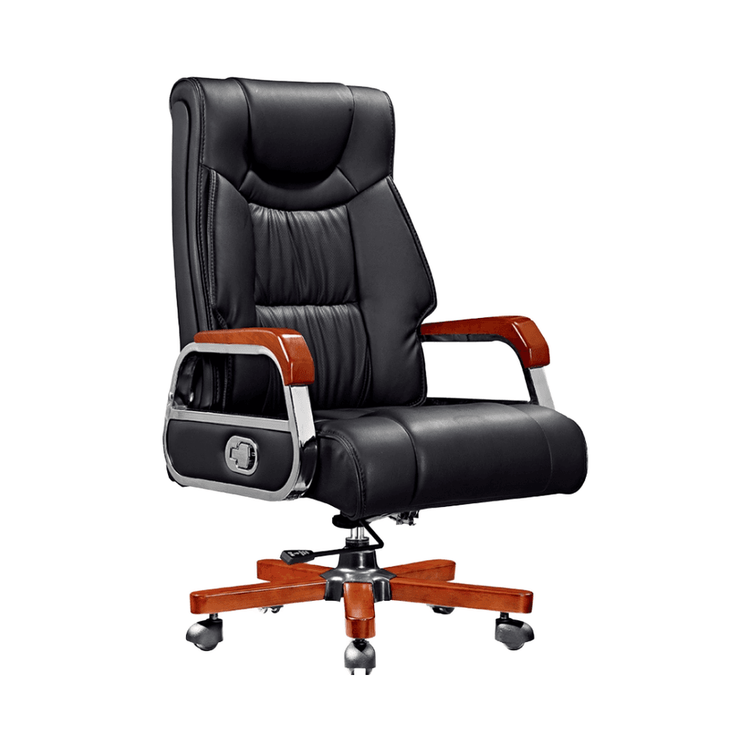
Functions of Office Chair Switches
The functions of office chair switches mainly include adjusting backrest hardness, height, locking and unlocking, backrest angle/elasticity, seat cushion depth, lumbar support position, reclining locking/adjustment, seat front-back position, chaise lounge function, rotation angle, and seat tilt, among others.

Adjusting Backrest Hardness: The knob design on office chairs can be rotated clockwise or counterclockwise. Rotating clockwise makes the backrest harder, providing stronger support, suitable for scenarios requiring prolonged upright sitting postures; rotating counterclockwise makes the backrest softer, offering more flexible support, ideal for short breaks or relaxation.
Adjusting Chair Height: By pressing or lifting the lever, the internal gas lift can be controlled for stepless height adjustment. Rotating the lever upward raises the chair to accommodate different desk heights; rotating it downward lowers the chair to ensure feet are flat on the ground, maintaining proper sitting posture.
Locking and Unlocking Function: Pushing the lever inward locks the chair in its current state, preventing accidental movement; pulling the lever outward unlocks it, allowing free adjustment of posture or position to meet dynamic office needs.
Adjusting Backrest Angle/Elasticity: The knob or lever can change the backrest's reclining resistance or lock it at a specific angle, enabling users to freely switch between focused work and reclined rest, effectively relieving lumbar pressure.
Adjusting Seat Cushion Depth: Some chairs are equipped with independent slide rails that allow the seat cushion to move forward and backward, accommodating users with different leg lengths, ensuring full thigh support, and avoiding pressure on the back of the knees.
Adjusting Lumbar Support Position: The lumbar support on ergonomic chairs can be precisely adjusted using up and down buttons or knobs to fit the natural curve of the lumbar spine, providing personalized support and preventing fatigue from prolonged sitting.
Reclining Locking/Adjustment: The maximum reclining angle of the backrest can be set or the damping force adjusted to ensure a smooth and safe reclining process, suitable for short breaks or relaxation.
Adjusting Seat Front-Back Position: By changing the seat position, users can choose a suitable sitting posture according to their needs, distributing body weight evenly, reducing the burden on bones and joints, and enhancing comfort.
Adjusting Chaise Lounge Function: Some office chairs are equipped with a chaise lounge mode, which can be adjusted to a nearly flat position via switches, facilitating rest or relaxation and relieving stress and fatigue.
Changing Rotation Angle: The 360-degree free rotation design makes it easy for users to communicate with others around them or move without frequently getting up, improving work efficiency.
Adjusting Seat Tilt: Some chairs support seat tilt adjustment, allowing users to choose a suitable angle according to their needs, maintaining a comfortable working posture and avoiding discomfort caused by prolonged fixed sitting postures.