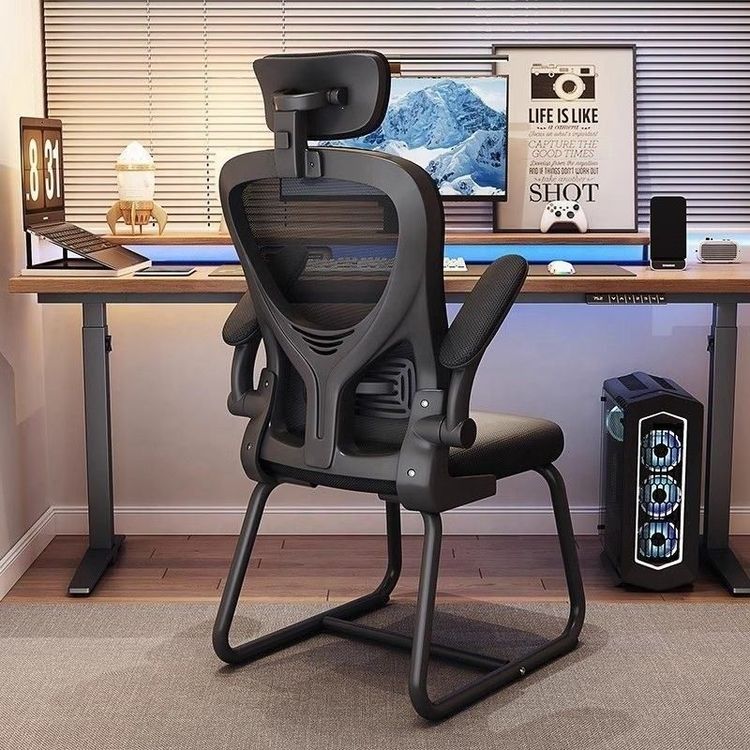
Office Chair Model - Rhino
Modeling office chairs in Rhino can be achieved through tutorial learning, hands-on practice, or directly downloading model resources.

Modeling Tutorials and Case References
Curved Smart Seat Modeling
For curved surface design, refer to cases combining Rhino 8 and Keyshot 2024. These tutorials typically start with basic hand-drawing techniques and use software tools to convert 2D sketches into 3D surface models. For example, first draw the contour curves of the seat, then use the 'Surface Division' function to split complex surfaces into editable units, and finally generate smooth surfaces using commands like 'Double Rail Sweep' and 'XNurbs'. This method is suitable for designing streamlined, organic-shaped office chairs, emphasizing surface continuity and light and shadow effects.Wooden Strip Chair Modeling Demonstration
Taking the Piagatto Soave wooden strip chair as an example, the modeling process focuses more on structural logic. Steps include:- Contour Line Drawing: Outline the side and top views of the chair according to the design drawing;
- Isometric Section Line Generation: Create section lines perpendicular to the contour lines using the 'Offset Curve' or 'Array' tools to define the chair's thickness and inclination angle;
- Loft Surface: Use the 'Loft' command to connect the section lines into a 3D surface, forming the main structures such as the backrest and seat;
- Detail Optimization: Use commands like 'Chamfer' and 'Boolean Operations' to handle rounded edges or structural connections. This method is suitable for frame-type office chairs, emphasizing structural stability and geometric accuracy.
Comprehensive Operation Case
Another case builds a chair model through basic operations such as 'Pull Circle - Adjust Shape - Mirror Curve':- Bottom Surface Processing: First pull a circle as the base of the seat and adjust its shape using 'Scale' and 'Rotate';
- Side Surface Connection: Use 'Double Rail Sweep' to generate side surfaces along the edges of the backrest and seat, ensuring a natural transition between surfaces;
- Edge Rounding: Use the 'Fillet' command to handle all sharp edges, enhancing the model's realism. This method is suitable for rapid prototyping, with simple steps and easy modifications.
Model Resource Download
If you need to directly obtain finished models, visit Aigei Network, which provides six different designs of office chair Rhino models (.rhino/.3dm format), covering styles such as modern simplicity and ergonomics. After downloading, you can directly open and edit them in Rhino or convert them to other formats (such as STL, OBJ) using the 'Export' function for 3D printing or rendering.
By learning through tutorials, you can master modeling logic, while downloading resources allows you to quickly gain design inspiration or apply them directly. Combining both can efficiently complete the creation and optimization of office chair models.