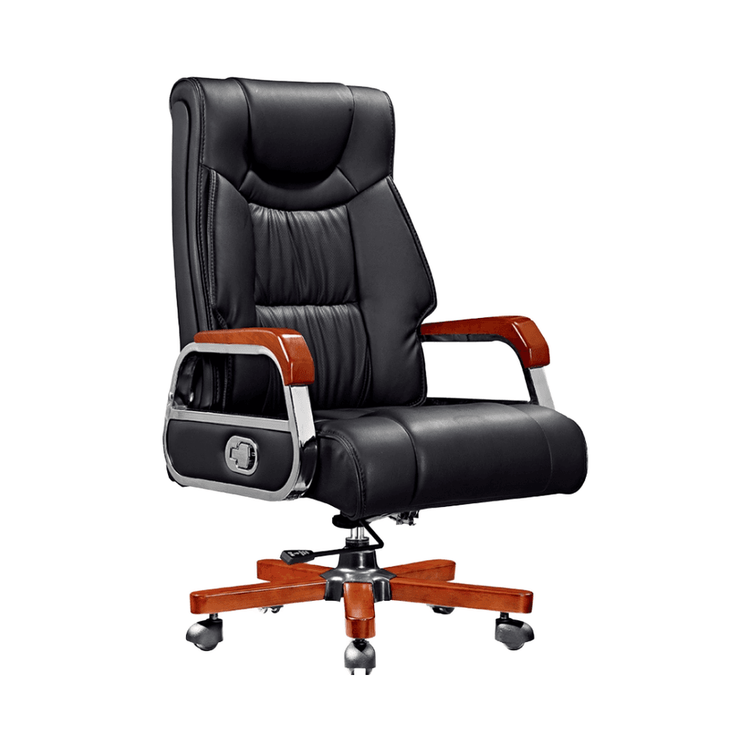
Office Chair Installed Backwards
If an office chair is installed backwards, troubleshooting and resolution can be achieved through steps such as judgment, verification, and reinstallation. Details are as follows:

I. Judging Whether It Is Installed Backwards
If the chair has functional obstructions or obviously counterintuitive designs, it may be installed backwards. Preliminary judgment can be made by checking the structural symmetry: Most office chairs are designed to be symmetrical front-to-back. If you find that the support rod is offset (e.g., the gas lift is not centered), the lumbar support position is abnormal (e.g., the support structure that should fit against the waist is located above the back), or the connection angle between the seat and the backrest does not conform to ergonomic principles (e.g., the seat tilts backward causing the backrest to hang in the air), it is highly likely that the installation direction is incorrect.
II. Functional Verification
- Load-bearing Test: In a normal sitting posture, if the chair slides when leaning forward or lacks support when leaning backward, the seat slope may be reversed (when correctly installed, the seat should tilt slightly backward to disperse pressure).
- Adjustment Device Detection: The armrest knobs should face outward for easy operation. If the knobs face inward causing adjustment obstruction, the direction needs to be adjusted; if the headrest height adjustment rod is stuck or cannot be fixed, it may be due to internal structural misalignment caused by reverse installation.
- Safety Lock Inspection: The lock catches of folding mechanisms (such as the footrest of a reclining office chair) must face outward. Reverse installation will reduce stability and increase the risk of tipping over.
III. Reinstallation
- Computer Chair Base Installed Backwards:
- Disassembly: Loosen the base screws to separate the chair into upper and lower parts. Lift the chair to make the feet悬空 (hang in the air), and use a rubber mallet to strike the feet from top to bottom until the rubber joints loosen; after removing the feet, hold the gas lift upside down and strike the base until it falls off (the gas lift is conical at both ends and requires reverse striking for disassembly).
- Installation: Align the base with the seat cushion according to the marked directions (manufacturers usually mark the installation directions on the components), fix the screws, and then install the backrest, ensuring that the gas lift is inserted into the base centrally.
- Computer Chair Seat Cushion and Backrest Installed Backwards:
- After disassembly, reinstall, paying attention to the direction of the armrests (the knobs or adjustment rods should face outward); when installing the wheels, invert the feet and forcefully insert the wheel axles until you hear a 'da' sound, and shake to confirm that there is no looseness.
Operation Tips: It is recommended to take photos of the original structure before reinstallation to avoid secondary errors; if gas lift disassembly is involved, ensure that the chair is fully deflated (press the gas rod to release internal pressure) to prevent accidental ejection. If the problem is still not resolved, it is recommended to contact the manufacturer for installation videos or professional assistance.