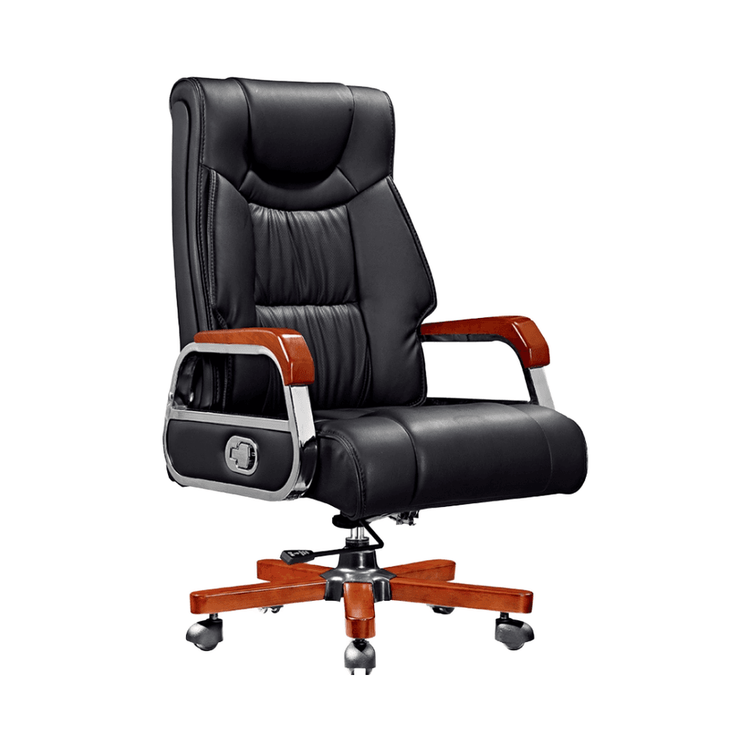
Office Chair Hand-Drawn Projection
The following steps and methods can be referred to for drawing the hand-drawn projection of an office chair:

1. Basic Projection Drawing Tools and Principles
When drawing the projection of office furniture, the CG6 marker pen is a commonly used tool. Its color shade is moderate, making it suitable for expressing the layering of ground shadows. The shape of the projection should be determined according to the direction of the light source: if the light source is in the upper left, the projection should extend towards the lower right; if the light source is directly above, the projection will be a symmetrical oval or rectangle. The edges of the projection need to be blurred to avoid harsh lines. This can be achieved through the gradient coloring of the marker pen or the superposition of parallel lines to simulate the transition effect of natural light and shadow.
2. Vertical Parallel Line Technique for Stool Projections
The projection of stool-type furniture needs to emphasize a three-dimensional effect, and the vertical parallel line technique is a key step. The specific operations are as follows:
- Directional Uniformity: All parallel lines should maintain the same direction (such as from left to right or from top to bottom) to avoid cross-confusion and enhance the orderliness of the projection.
- Density Variation: The parallel lines near the bottom of the stool are dense and darker in color; the parallel lines farther from the stool are sparse and lighter in color, creating a contrast between the virtual and the real.
- Structural Correspondence: If the stool has hollowed-out parts or crossbars, discontinuous parallel lines should be used in the projection to represent the structural gaps and avoid detachment between the projection and the actual object.
3. One-Point Perspective Method for Single Chair Projections
The projection of a single chair needs to be combined with the one-point perspective principle to construct a sense of space through a vanishing point. The steps are as follows:
- Determine the Vanishing Point: Set a vanishing point in the picture (usually on the horizon line directly in front of the chair), and all perspective lines should point to this point.
- Connect the Front Elevation: Use straight lines to connect the front elevation of the chair (such as the backrest and seat surface) with the vanishing point to form perspective reference lines.
- Extend the Depth Lines: Extend backwards along the reference lines to determine the depth of the chair (such as the length of the chair legs), and draw perpendicular lines at the bottom as the edges of the chair legs.
- Draw the Inner Chair Legs: Draw a perpendicular line downwards from the innermost edge of the backrest, intersect it with the ground perspective line, and then draw a horizontal line to represent the position of the inner chair legs, forming a complete projection outline.
4. Detail Optimization and Light and Shadow Adjustment
- Shadow Layering: On the basis of the main projection, use a light-colored marker pen or pencil to add secondary shadows (such as overlapping shadows between chair legs) to enhance the sense of layering.
- Reflection Treatment: If the ground material is reflective (such as tiles), a highlight area can be left at the edge of the projection or brightened with a white highlight pen.
- Influence of Ambient Light: Consider the supplementation of the projection by ambient light (such as secondary shadows produced by side light) to avoid a too-simple projection.
By following the above steps, you can systematically complete the hand-drawn projection of an office chair, ensuring both structural accuracy and enhancing the spatial realism of the picture.