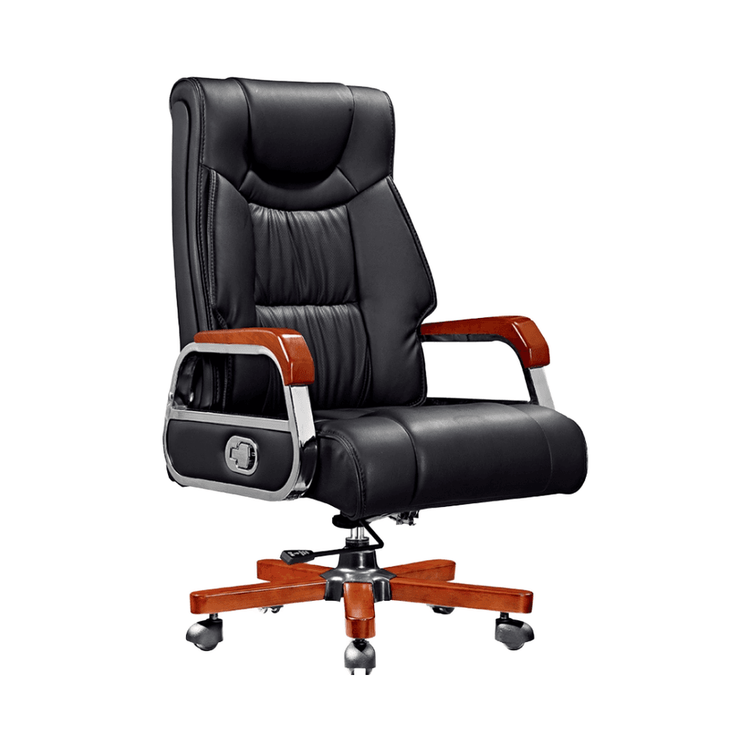
Office Chair Backrest Damage
Damage to the office chair backrest requires targeted handling based on specific issues. Here are common situations and solutions:

1. Loose seat backrest and detached cushion
This problem is often caused by the falling off of the cushion nut. You can use a hole opener to enlarge the original hole, clean out the remaining nut, and then screw in a No. 6 threaded rod. Insert a four-tooth cable tie into the tooth slot, cut it off, and embed it into the hole to ensure the nut is flush with the inside. When the glue is almost solidified, unscrew the threaded rod counterclockwise to fix the nut. During this process, use a screwdriver to rotate the threaded rod repeatedly to prevent adhesion. Meanwhile, the nut fixed by the cable tie at the bottom can prevent rotation.
2. Malfunctioning adjustment of the office chair backrest
- Cable control switch failure
- If the switch cannot hold its position, first check for looseness in the cable control. Adjust the nut position to lengthen the control distance.
- If the wire is broken, replace the cable control component.
- For a disengagement problem, re-attach the cable control terminal to its original position.
- Abnormal connection of the gas rod When the cable control is normal but the adjustment fails, check the small gas rod connected to the backrest. Squeeze the thin end of the gas rod with your hand. If it can easily retract, it indicates that the gas rod is leaking and needs to be replaced with a new one.
3. The office chair backrest cannot stand upright
Hydraulic system failure is the main cause. After laying the chair on its side, check the transmission components:
- If the toggle is normal but the hydraulic mechanism is detached, replace the 10*1 non-standard screw with a standard No. 10 screw (30mm in length).
- Use a tap to repair the thread or directly force it in with a wrench, but note that the fit between the nut and the bolt may not be qualified.
- Install an additional nut on the bolt to enhance the fixation and adjust the position with a washer to ensure that the screw does not obstruct the movement of the hydraulic rod.
4. The office chair leans back and does not bounce back
- Handle and base adjustment Check the handle direction: pull it to the right to unlock the backrest and push it to the left to lock it. Adjust the cylindrical knob on the base. Turning it clockwise increases the rebound force, and turning it counterclockwise decreases it.
- Cable control switch inspection For chairs with a reclining function, confirm whether the switch closes automatically. If it does not close, check for looseness, breakage, or disengagement of the cable control. Adjust the nut or replace the component as needed.
- Gas rod condition assessment Squeeze the thin end of the gas rod with your hand. If it easily retracts, replace the leaking gas rod.
Handling suggestions: Before operation, ensure that the chair is powered off or heavy objects are removed. Use professional tools to avoid damaging the components. If the problem is complex or involves internal damage to the hydraulic system, it is recommended to contact a professional repair technician.