Back to blog
Article
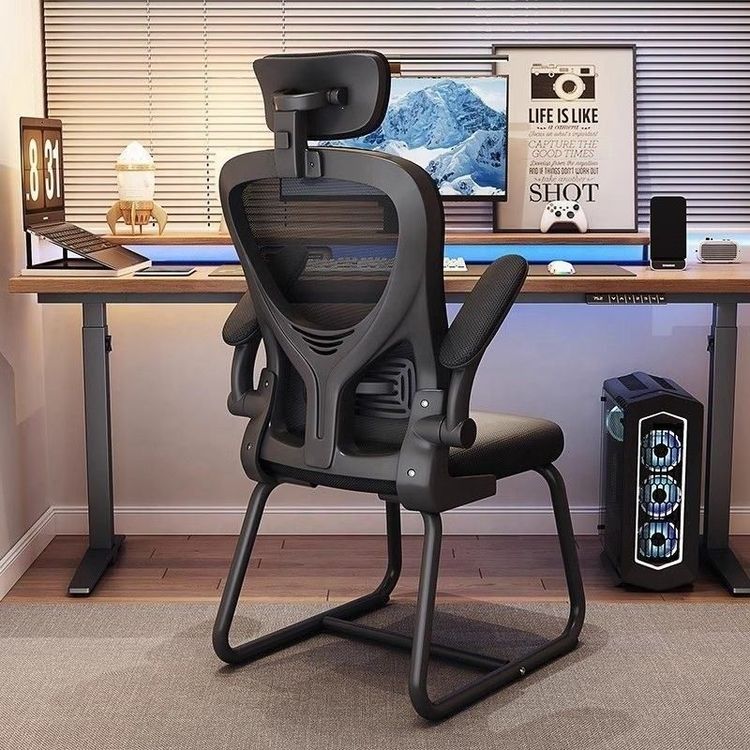
Office Chair Armrest Photography
Admin October 11, 2026
For office chair armrest photography, you can refer to the following content to highlight product features and visual effects:

1. Actual Shooting Content Directions
When photographing office chair armrests, focus on their core features to visually showcase product advantages:
- Adjustability: Capture multi-angle shots to demonstrate the armrest's adjustment functions, such as height adjustment, angle rotation, or forward/backward sliding operations. You can take comparison photos before and after adjustment or use dynamic videos (e.g., GIFs) to present the adjustment process, emphasizing ease of operation.
- Comfort: Highlight material details of the armrest, such as soft foam padding, breathable mesh fabric, or ergonomic curve design. Pair with close-up shots of hands to showcase the fit between the armrest and arm, or use lighting to accentuate the soft texture of the material.
- Durability: Photograph load-bearing test scenarios for the armrest, such as placing heavy objects or simulating long-term use conditions, accompanied by text explaining material strength (e.g., steel frame, high-density plastic).
2. Material Acquisition Channels
For high-definition photography works as references or direct use, consider the following resources:
- Qianku.com: Offers free downloads of high-definition images of office armrest chairs, published in June 2023, with a resolution of 2832*4256px (300dpi), meeting printing-grade requirements. Images are protected by VRF copyright agreements, so pay attention to usage scope (e.g., personal study, commercial design, etc., must comply with agreement terms).
- Professional Photography Platforms: Such as 500px, ZCOOL, etc. Search for "office chair armrest close-up" to obtain more creative shooting cases, referencing composition, lighting, and post-processing techniques.
3. Additional Photography Tips
- Lighting Application: Use a softbox or side backlight to highlight the texture on the armrest surface, avoiding strong light that may cause reflections or overly heavy shadows.
- Background Selection: Opt for a solid-color background (e.g., light gray, white) to minimize distractions, or pair with a simple office setting (e.g., desk, computer) to enhance immersion.
- Detail Close-ups: Use a macro lens to capture stitching on the armrest surface or material joints, showcasing craftsmanship precision.
By following these methods, you can systematically present the functionality and design aesthetics of office chair armrests, providing intuitive references for product promotion or user purchasing decisions.