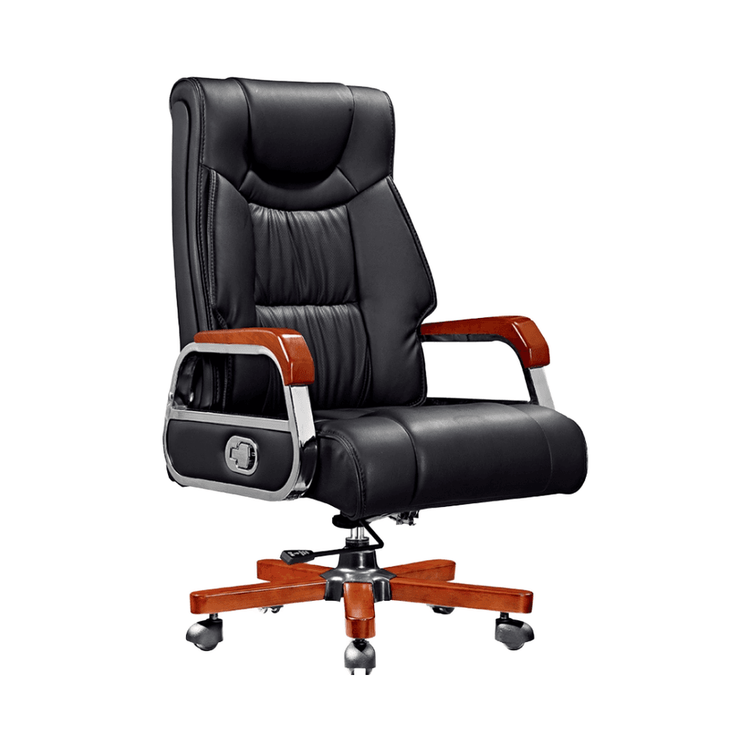
Advanced Modeling of Office Chairs
Advanced modeling of office chairs requires a combination of software operation, modeling logic, and scene requirements, achieving efficient modeling through component breakdown, polygon editing, and modifier combinations.

1. Pre-Modeling Preparation: Clarify Requirements and Structural Breakdown
Modeling an office chair requires determining model precision based on the application scenario (e.g., e-commerce rendering, animation demonstration, or interior design). For example, e-commerce product images require high-precision details to showcase material textures, while animation demonstrations can simplify structures to improve rendering efficiency. Before modeling, the chair should be broken down into individual components: seat cushion, backrest, armrests, gas lift, five-star base, and casters. Taking the Pinnacle-style office chair as an example, its integrated backrest and T-shaped armrests need to be modeled separately, and then the complete structure is generated using a symmetry modifier for easy later detail adjustments.
2. Software Selection and Tool Combination
- 3ds Max: Its polygon modeling module is mature and suitable for handling complex surfaces. The four sub-levels of EditPoly—vertex, edge, border, and polygon—allow precise control over model shapes. Combined with the Symmetry (symmetry modifier), it can quickly generate symmetrical components. TurboSmooth is used for smoothing surfaces, and FFD (Free Form Deformation) can adjust local shapes (e.g., the curvature of the seat cushion).
- C4D: Its wire-framing tools are intuitive and suitable for product-level modeling. Its sculpting module can handle organic shapes (e.g., wrinkles on upholstered seat cushions), and the subdivision surface function can replace TurboSmooth for smooth transitions.
3. Core Modeling Process
- Basic Model Construction: Use polygon tools to create the basic shapes of each chair component. For example, the seat cushion can be created by stretching a 'Box' primitive and then adding edge details with 'Insert'; the gas lift can be formed by rotating a 'Cylinder' and processing the top edge with 'Bevel'.
- Detail Optimization: Adjust vertex positions in the EditPoly sub-levels to enhance structural rationality. For example, support structure lines need to be added at the connection between the backrest and seat cushion to prevent rendering issues like intersections or deformations.
- Modifier Application: After adding Symmetry to symmetrical components, check if the mirror axis is aligned; before applying TurboSmooth to curved components, ensure uniform wire-framing (mainly quadrilateral faces) to prevent surface breaks after smoothing.
4. Scene Adaptation and Output
After modeling is complete, optimize the model according to its intended use: e-commerce rendering requires UV unwrapping and baking highlight maps, while animation demonstrations require reducing the number of faces to improve real-time rendering efficiency. The final model should check component proportions (e.g., whether the diameter of the five-star base to the width of the seat cushion conforms to ergonomic principles) and ensure all components can be edited independently for easy later material replacement or structural adjustments.