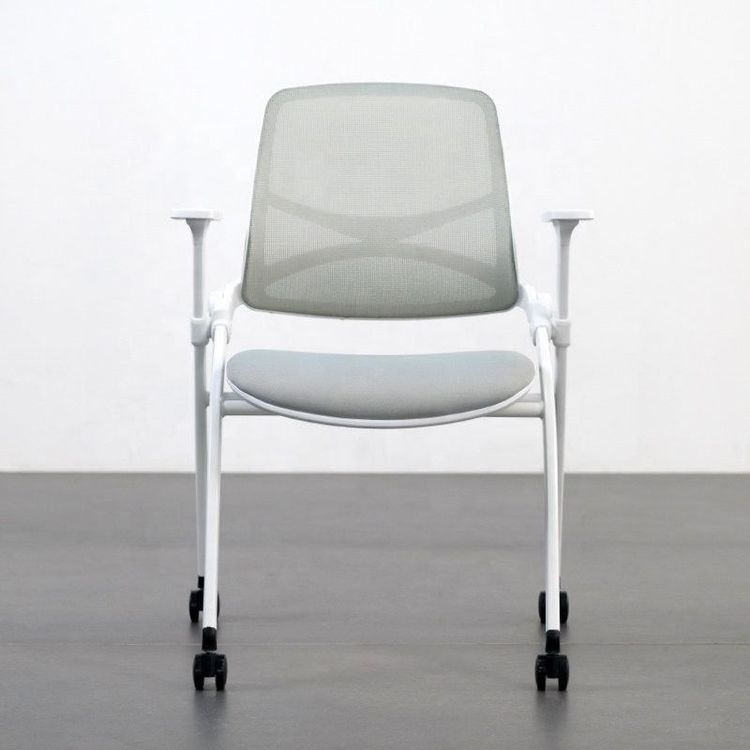
Office Chair Adjustment and Repair
Office chair adjustment and repair require targeted methods based on different fault conditions:

If the office chair sinks and cannot be fixed at a certain height, two methods can be used. First, use a hose clamp: Slide down the plastic skirt to expose the metal cylinder, adjust the chair to the appropriate height, and if it cannot stand upright, place it on its side. If the cylinder is covered by a plastic skirt, invert the chair, remove the wheels and skirt, and then reinstall the wheels. Next, loosen the hose clamp screw, pull out the belt end, and wrap the clamp around the metal cylinder without tightening it. To improve the clamp's grip, wrap rubber bands, tape around the cylinder, or sand the cylinder (if it is dirty or greasy, clean it first). Then, tighten the clamp, confirm the chair's height is correct, and secure the screw. Finally, test the chair. If the height is incorrect, move the clamp. If the clamp slips, secure it with a rubber strip or try the PVC pipe method. Second, use a PVC pipe: Pull down the plastic skirt and use a ruler to measure the diameter of the cylinder horizontally and its length at the perfect height. Purchase a PVC pipe with the same or slightly larger diameter as the cylinder, with a length suitable for extending from the base to the seat when the chair is at the ideal height. A plastic shower ring can also be used as an alternative (but it may not be sturdy enough). Secure the pipe in a vise and saw from one end to the other with a hacksaw or reciprocating saw (only saw one side). If you do not have a vise or cutting tool, keep the pipe intact, remove the wheels, and slide it on for installation. Push the cut side of the PVC pipe onto the cylinder to hold the chair in place and prevent it from slipping.
If the office chair tilts to one side, first check if the wheels are uneven when the chair is placed upright and upside down, confirm that each wheel foot is in contact with the ground, and invert the chair to check for signs of damage on the wheel feet. If the ground is uneven and the wheels do not all touch the ground, it is not a chair fault. If damaged wheels are found, purchase a new set of matching wheels. You can contact the manufacturer with the chair model for an order or remove an old wheel and take it to an office supply store to find a matching replacement set, paying attention to matching the shape and size of the wheel axle. When removing the casters, hold the caster wheel and the bottom of the chair firmly and pull. If it is stuck, insert a flat-head screwdriver into the small gap between the wheel foot and the chair as a lever. A very small number of casters are fixed with screws and need to be removed with a screwdriver. Apply a small amount of spray lubricant to each socket on the chair base, insert the straw into the spray nozzle, and insert it into each socket for a quick half-second spray. If there is no lubricant spray, apply a pea-sized amount of petroleum jelly to each wheel axle. Use a rubber mallet to tap each caster into the chair socket, invert the chair to test the new wheels, and if it still tilts, continue to check the seat plate.
If the backrest of the office chair cannot stand upright, first look under the chair to confirm that there is a problem with the hydraulic system. Lay the chair on its side and check the drive components starting from the backrest. If the chair's toggle is normal but the hydraulic mechanism drops directly when pulled, find the fixing screw (such as a non-standard 10*1 screw), which can be replaced with a standard No. 10 screw. Use a tap to chase the threads or directly use a wrench to turn the screw. Install the screw in its original position (with a length of 30 mm, the original is shorter). Since forcing the screw in may result in an unqualified fit between the screw, nut, and bolt, screw a nut onto the bolt. Ensure that the screw installation does not obstruct the range of motion of the hydraulic rod, which can be solved by adding a washer.