
Back to blog
Article
How to Use Office Chairs
Admin October 17, 2026
Office chairs should be adjusted scientifically according to different functions to ensure comfort and health. Here are the specific methods:
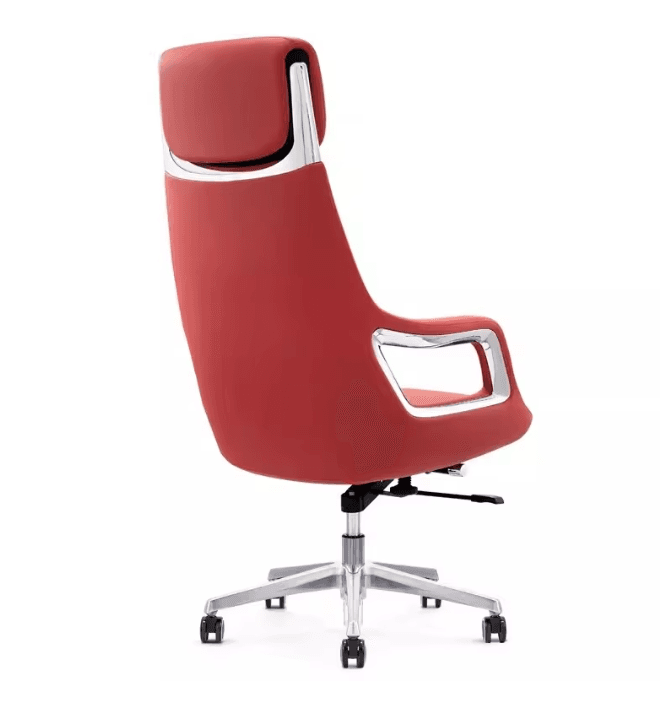
1. Seat Height Adjustment
- Operation Method: Look for the hand control device (such as a lever or knob) below or on the side of the seat. Pneumatic lift chairs can be adjusted by repeatedly pushing the lever up and down; some knob-type chairs require turning for adjustment.
- Standard Posture: When adjusting, ensure that both feet are completely flat on the ground, with the thighs and lower legs forming an angle of 95°-100°. If the chair is too high and causes the feet to hang in the air, a footrest can be used; if it is too low, it increases pressure on the knee joints. Adjustment can also be made from a standing position, so that the front end of the chair is just below the knees.
- Scene Adaptation: When operating a computer, keep your eyes level with the monitor; when working at a desk, keep your elbows level with the desk; when sitting for long periods, ensure that both feet are flat on the floor.
2. Seat Angle Adjustment
- Reclining Angle: Recline slightly to an angle of 100°-110°, so that the back, especially the lower back, fits snugly against the chair back. If the chair is equipped with a lumbar support, adjust it to support the natural curve of the lumbar spine and avoid the lower back hanging in the air.
3. Armrest Height Adjustment
- Standard Posture: The height of the armrests should allow the forearms to rest easily on the armrests or the desk when the elbows are naturally hanging down, with the upper arms and forearms forming an angle of about 100°. If the armrests prevent the knees from sliding under the desk, they can be lowered or removed.
4. Special Functions of Executive Chairs
- Height Adjustment Control: The right lever adjusts the height. While sitting, lightly lift to raise and press down to lower, adjusting until the knees are at a 90° angle and the feet are flat on the ground. It is strictly forbidden to forcibly掰动 (this word is difficult to translate literally, here it means 'twist or manipulate') the pneumatic rod while standing.
- Reclining Lock: The left lever controls the reclining force. Lifting the lever allows you to recline, and pressing it down after locking the angle fixes it. Advanced chairs can adjust the reclining tightness with a knob: those with a heavier weight should tighten it, and loosen it for a noon break relaxation.
5. Monitor Height Adaptation
- Adjustment Principle: Elevate the monitor so that your line of sight is level with the top edge of the screen to avoid leaning forward. Leaning forward increases neck pressure by 3-5 times and may cause cervical spine problems in the long run.
6. Rest and Exercise
- Hip Joint Stretch: Sit on the edge of the chair, spread your feet apart, cross your ankles to the opposite knee, and press your back forward.
- Lower Back Release: Turn your body gently while holding onto the chair back with your side.
- Shoulder Opening Exercise: After sitting up straight, raise your arms over your head and tilt to the opposite side, or hold onto the chair back with both hands behind you to stretch your shoulders.
- Frequency Recommendation: Perform an activity every 30 minutes to relieve fatigue from prolonged sitting.


