
Back to blog
Article
How to Prevent an Office Chair from Rocking When Reclining
Admin October 08, 2026
To prevent an office chair from rocking when reclining, you need to perform targeted operations based on the type of locking function the chair has. Here are the specific steps:
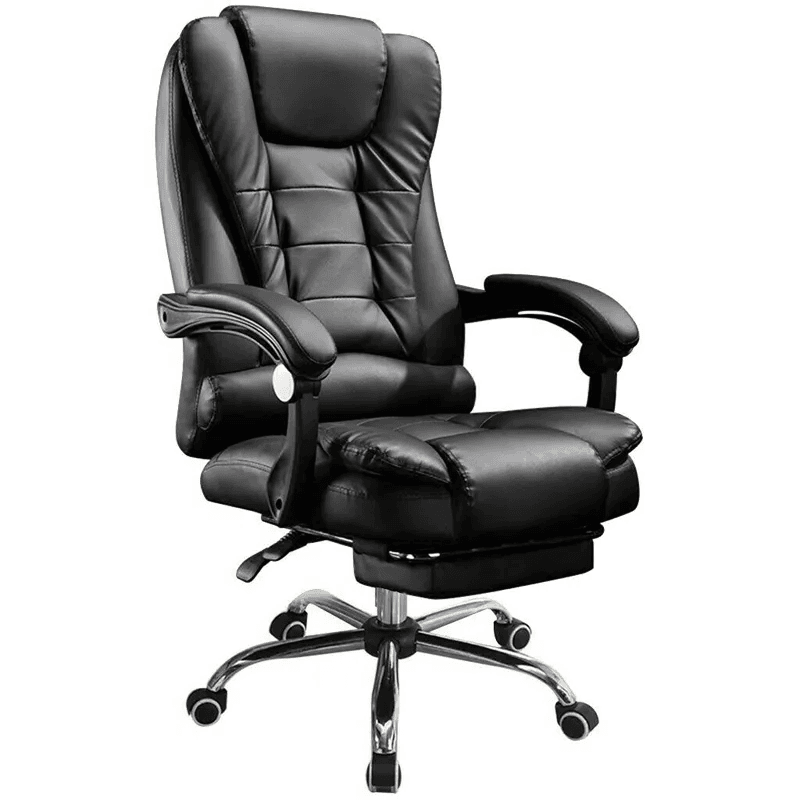
I. Confirm the Chair's Function and Status
- Function Confirmation: Not all office chairs have a tilt-lock function. First, check the product manual or observe the chair's structure to confirm the presence of locking components.
- Status Check: Place the chair on a flat surface and inspect key parts such as the seat, base, and gas lift for obvious damage (e.g., cracks, deformations) or looseness (e.g., loose screws, wobbling connections). If there are structural issues, repair or replace the components first.
II. Locate and Operate the Locking Components
Choose the appropriate operation method based on the type of locking component:
Handle/Lever Locking
- The adjustment handle is usually located on the right side under the seat. After sitting firmly, pull the handle backward (or upward) while slowly leaning back with your back. The backrest will start to tilt.
- When you reach the desired angle, release the handle. A clicking sound indicates that the angle is fixed. To return to an upright sitting position, pull the handle again, lean forward or sit up straight naturally, and the backrest will automatically spring back.
Knob Adjustment System
- The knob is mostly located near the center of the seat bottom close to the支柱 (support post). Turning it clockwise increases the resistance to leaning back (requiring more force to recline), while turning it counterclockwise reduces the resistance (making it easier to recline).
- Some knobs also have a locking function. You need to turn them to a specific gear or perform a "pull-out-adjust-press" operation to complete the locking. Refer to the manual for specific operations.
Push-Pull Button Type
- The button may be set independently or integrated beside the handle. Pull the button outward to unlock the tilt function, adjust the angle, and then press the button inward to lock the current position.
III. Troubleshoot Locking Failure Issues
If the chair still cannot be fixed or automatically springs back, check in the following order:
- Slight Rocking: Check the screws and bolts at the connections between the seat bottom and the base, and between the armrests and the seat. Tighten them one by one with a screwdriver.
- Complete Inability to Lock or Automatic Springing Back:
- Confirm whether the locking handle or lever is fully returned to its position. Operate it repeatedly to ensure smooth movement.
- Check if there are any foreign objects stuck or deformed and damaged parts such as metal catches in the locking device. Clean the foreign objects or replace the components.
- If a chair with a gas lift shows slow sinking or an inability to lock, it may be due to a decrease in the gas lift's sealing performance. Contact a professional for repair or replace the gas lift.
Related
You may also like

28Oct
Top Office Chair Height Adjustment Manufacturers: How to Choose a Factory Partner
Read More
27Oct
Top Office Chair Wood Manufacturers: How to Choose a Factory Partner
Read More
28Oct
Office Chair Video Explained: How to Choose the Right One
Read More
27Oct