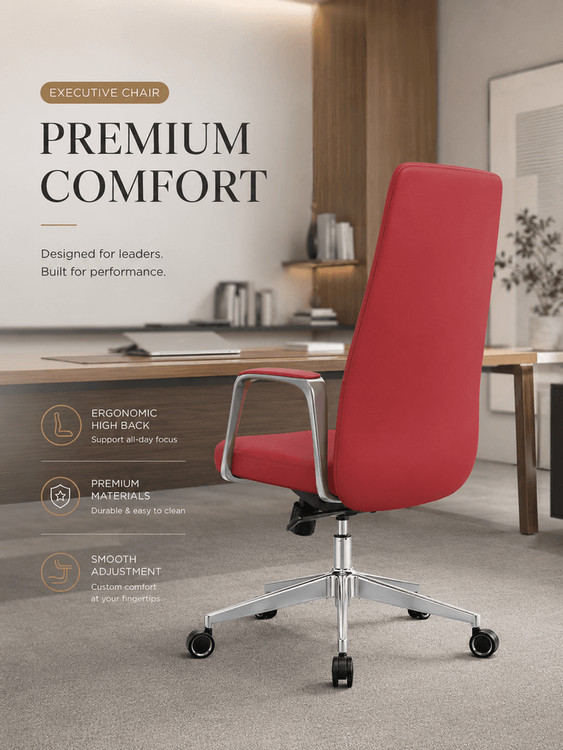
Comfortable Sitting Posture for Office Chairs
Achieving a comfortable sitting posture on an office chair requires comprehensive adjustments in terms of backrest, chair height, desk height, desk distance, and screen height, with the following key points:

1. The backrest should fully support the back
Choose an office chair with an ergonomic backrest design to ensure it fully conforms to the natural curve of the spine, especially in the lumbar region. Backrest support effectively distributes upper body pressure and reduces lumbar burden, preventing backaches after prolonged sitting. If the backrest is too soft or lacks sufficient curvature, it may lead to excessive lordosis or kyphosis of the spine, potentially causing lumbar diseases over time.
2. Chair height should match leg posture
When adjusting the chair height, use the standard of "feet naturally perpendicular to the ground, thighs and calves at a 90-degree angle, and no pressure on the knees". If your feet cannot touch the ground when leaning back in the chair, the chair is too high and needs to be lowered or a footrest should be used; conversely, if your knees are higher than your hips, the chair is too low and needs to be raised. Incorrect chair height can lead to poor leg circulation and increase the risk of varicose veins.
3. Desk height should match elbow height
After sitting firmly, fix the elbow joint and naturally raise your arm to the desktop, keeping your forearm and wrist in a straight line. The desktop height should allow the elbows to be bent at a 90-degree angle, preventing the arms from hanging or drooping excessively. If the desktop is too high, raise the chair or use an adjustable keyboard tray; if it is too low, lower the chair or elevate the desktop. Correct desk height can prevent hand strain issues such as "mouse elbow" and "mouse wrist".
4. Desk distance should maintain a fist-sized space from the chest
Adjust the distance between the seat and the desk so that there is about a fist-sized space (approximately 10-15 centimeters) between your chest and the edge of the desk. Being too close can cause the body to lean forward, increasing cervical spine pressure; being too far requires excessive arm extension, leading to shoulder fatigue. Maintaining an appropriate desk distance helps maintain a neutral body position and reduces muscle tension.
5. The screen should be raised to eye level
Adjust the center of the computer screen to be level with or slightly lower than your eyes, avoiding looking down or up at the screen. If the screen is too low, use a stand or books to elevate it; if it is too high, lower the screen or adjust the chair height. Correct screen height reduces cervical spine protrusion and prevents cervical spondylosis.
By making these adjustments, you can achieve a comfortable sitting posture characterized by a "naturally upright spine, relaxed limbs, and level gaze", effectively reducing the harm caused by prolonged sitting.