
Best Office Chair Posture
The best office chair posture requires maintaining the natural physiological curvature of the spine, with key points including seat height, lumbar support, foot placement, screen position, and dynamic adjustments, as detailed below:
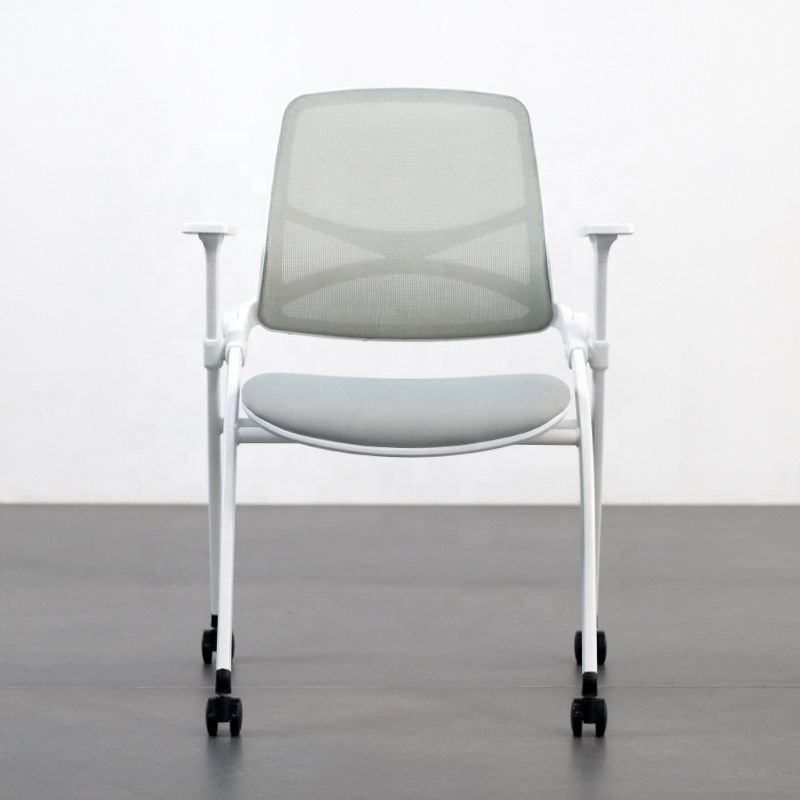
1. Adjust Seat Height
The seat height should allow the thighs to be parallel to the ground with the knees bent at a 90-degree angle. If the seat is too high, the legs will hang, putting pressure on the sciatic nerve; if too low, the lumbar spine will overextend, increasing pressure on the intervertebral discs. It is recommended to choose an office chair with adjustable height, ensuring that the buttocks fully contact the seat when sitting, avoiding leaning forward or backward. If using a fixed-height seat, a footrest can be used to adjust the height. The standard for using a low stool is that when leaning back, the feet should naturally hang perpendicular to the ground, with the thighs perpendicular to the calves and no pressure on the knees.
2. Strengthen Lumbar Support
The lumbar spine should maintain its natural forward curvature, avoiding straightness or excessive bending. A lumbar support can be added to the backrest or a memory foam cushion can be used, with the support placed between the third and fifth lumbar vertebrae (approximately at the narrowest part of the waist), with a thickness suitable for maintaining a slight forward curvature of the waist. For those who work at a desk for long periods, it is recommended to choose an ergonomic chair, whose curved design can disperse pressure on the lumbar spine. Avoid using backless stools or overly soft sofas, as these seats cannot provide effective support and can easily lead to lumbar fatigue.
3. Keep Feet Flat on the Ground
The feet should fully contact the ground, shoulder-width apart, with the ankles at a 90-degree angle, avoiding crossing the legs or sitting with legs crossed to prevent obstruction of blood circulation in the lower limbs. If the height is insufficient and the feet are left hanging, a footrest should be used for support; women wearing high heels are advised to keep flat shoes in the office for changing to avoid continuous tension in the Achilles tendon, which can lead to plantar fasciitis or calf muscle strain.
4. Adjust Screen Eye Level
The top of the computer screen should be level with or slightly lower (10-15 cm) than the eyes, with a distance of 50-70 cm maintained. Laptop users should use a stand to elevate the screen and connect an external keyboard, with the centerline of the screen aligned with the bridge of the nose to avoid long-term looking down or up, which can lead to cervical spine retroflexion. For those using multiple screens, the main screen should be placed directly in front, with auxiliary screens at a 30-degree angle to reduce neck rotation.
5. Other Key Details
- Desk-Chair Height Matching: After sitting firmly, fix the elbow joint and slowly raise the hand to a natural hanging position. The height at which the forearm and wrist remain in a straight line is the ideal desk height, which can prevent mouse elbow and mouse wrist.
- Desk Distance Control: Maintain a fist's distance between the chest and the edge of the desk to avoid leaning forward and compressing the chest.
- Dynamic Adjustments: Get up and move for 1-2 minutes every 30-40 minutes, performing micro-movements such as cervical spine extension and scapular retraction, or engaging in intermittent activities like getting water or using the restroom to relieve static muscle load.



