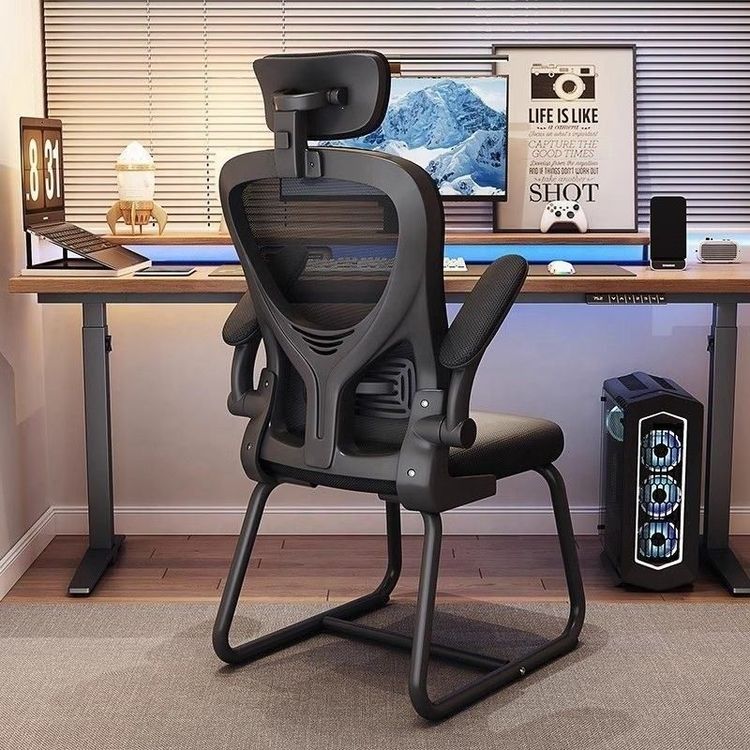
Aurora Office Chair Adjustment
The adjustment functions of Aurora office chairs are diverse and can meet the usage needs of different users. Here is a detailed introduction:

Armrest Adjustment
Some models of Aurora office chairs are equipped with four-dimensional armrest adjustment functions. Taking the Aurora (AURORA) CELSQW0011 ergonomic chair as an example, its armrests can be adjusted vertically, horizontally, and rotationally. The vertical adjustment range can reach 8 cm, allowing the armrests to be adjusted to a suitable position according to the user's arm height, making arm placement more comfortable and natural and reducing shoulder and arm fatigue. The horizontal adjustment range is 6 cm, facilitating users to adjust the distance between the armrests and their body according to their own sitting posture and operating habits, providing better support for the arms when operating the keyboard and mouse. The rotational adjustment angle is 40 degrees, meeting the usage needs at different angles, such as flexibly adjusting the armrest direction when turning around to communicate or perform other operations. In addition, there are 4D armrests that can be adjusted vertically, horizontally, and rotationally left and right, further enhancing the flexibility and comfort of use.
Lumbar Support Adjustment
Some Aurora office chairs are equipped with adaptive lumbar supports, a very thoughtful design. It can automatically adjust the support force according to the user's sitting posture. When the user sits upright, the lumbar support provides moderate support to help maintain the correct sitting posture. When the user leans back, the lumbar support automatically increases the support force according to the body's changes, providing more sufficient support for the waist, effectively reducing waist pressure, preventing waist fatigue and injury, and is especially suitable for people who work for long periods.
Headrest Adjustment
The adjustment function of the headrest is also very practical. For example, the headrest of the Aurora CELY0202B computer chair supports vertical and rotational adjustments. The vertical adjustment range is 5 cm, allowing users to adjust the headrest to a suitable height according to their own height and neck length, providing good support for the head during rest. The rotational adjustment angle is 30 degrees, meeting the needs for placing the head at different angles and allowing users to relax more during rest.
Backrest Adjustment
The backrest of Aurora office chairs can achieve a maximum recline of 135 degrees and is equipped with a locking function. During the office process, users can adjust the angle of the backrest according to their needs. When they need to concentrate on work, they can straighten the backrest to maintain an upright sitting posture. When they need to rest, they can lean the backrest back. The maximum 135-degree angle allows the body to fully relax. At the same time, through the locking function, the backrest can be fixed at a suitable angle to prevent it from shaking randomly during use and affecting the rest experience.
Seat Height Adjustment
Taking the MH office chair as an example, its height adjustment operation is to pull the lever all the way out and then lift the second lever upwards, and the seat will rise. Through this simple operation method, users can easily adjust the height of the seat to adapt to office desks of different heights, ensuring that their feet can be placed flat on the ground and maintaining the correct sitting posture.