Back to blog
Article
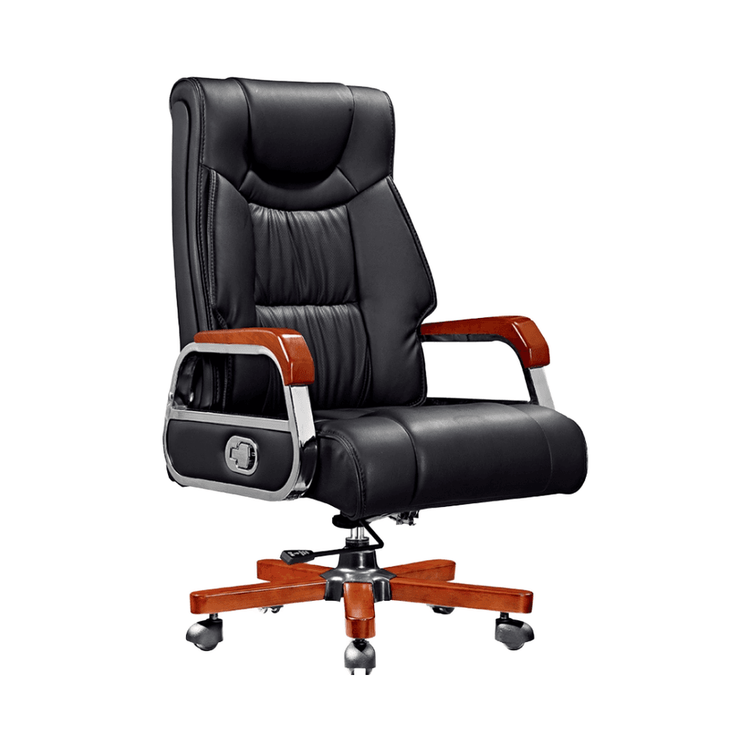
Installation of Air Cushion Office Chair
Admin October 09, 2026
The installation process of an air cushion office chair can be divided into four stages: basic installation, connection of the seat and armrests, installation of the backrest and air cushion adjustment components, and functional debugging. The specific operations are as follows:

I. Basic Installation
- Assembly of Casters and Five-Star Base: Forcefully insert the casters (wheels) into the slots or holes of the five-star base, ensuring they are fully inserted and secure. For some models (such as the Backrobo Smart Lumbar Support Office Chair), align the wheels with the holes on the base and insert them vertically. After insertion, check the rotational flexibility of each caster.
- Installation of the Gas Lift: Choose an explosion-proof gas lift that has passed three-level certification (such as SGS certification) and insert it vertically into the central hole of the five-star base, ensuring the bottom of the gas lift is fully flush with the base. The gas lift is the core component supporting the seat, so avoid tilting it during installation to prevent uneven force distribution.
II. Connection of the Seat and Armrests
- Fixing the Armrests: Align the armrest brackets with the holes on the side of the seat cushion and insert them. Use the provided long screws (such as 6*30规格) to tighten and secure them. For some models (such as the Backrobo chair), tighten two long screws after inserting the armrests to ensure a stable connection between the armrests and the seat cushion.
- Connection of the Backrest and Armrest Brackets: If the backrest and armrests are designed separately, use screws to connect the backrest bracket to the armrest bracket. Ensure the screws are tightened with moderate force to avoid slipping or excessive tightening that could deform the materials.
III. Installation of the Backrest and Air Cushion Adjustment Components
- Connection of the Backrest and Seat Plate: Align the buckles or screw holes at the rear end of the seat plate with the bottom of the backrest, insert them, and tighten the fixing screws to complete the assembly of the torso part.
- Connection of the Air Cushion Components: The air cushion of the smart lumbar support needs to be correctly connected to the integrated design of the backrest, ensuring a tight connection between the air cushion inflation port and the air duct inside the backrest. Before installation, check the reading on the air cushion pressure gauge (such as a maximum inflation pressure of 1.45 psi) to avoid overpressure that could damage the air cushion.
IV. Functional Debugging
- Adjustment of Air Cushion Pressure: Adjust the air cushion pressure using the buttons on the side of the seat (such as '+' for inflation and '-' for deflation), or use a magnetic charger to connect to the power supply for intelligent adjustment (such as the Backrobo chair). During debugging, sit on the chair and gradually adjust the inflation amount of the air cushion according to comfort.
- Inspection of the Air Valve: Rotate the air nozzle to a tightened state and check if the spring core inside the air valve pops up to ensure airtightness of the air duct. If the air valve leaks, retighten it or replace the air nozzle.
- Adjustment of the Headrest (Optional): If the chair is equipped with a headrest, insert it into the holes at the top of the backrest, adjust it to the appropriate position by sliding it up and down or tilting it, and tighten the fixing screws.
Precautions: Before installation, carefully read the product manual or watch the installation video (such as the video for models 518/519). Screw specifications and hole designs may vary among different models. If resistance is encountered during installation, do not force the operation. Check if the components are aligned or if there are any defects.