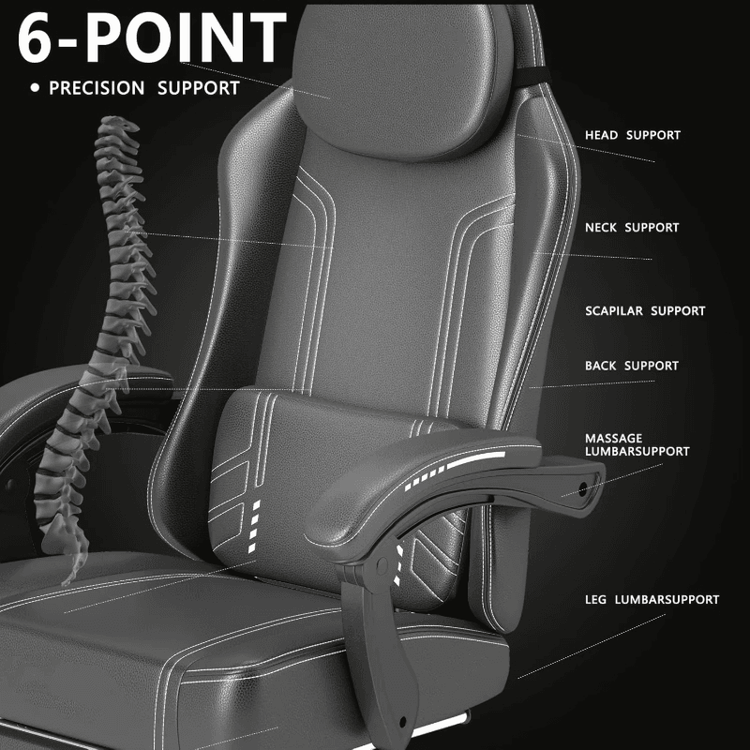
Adjusting the Curvature of Office Chairs
Adjusting the curvature of an office chair requires selecting the appropriate method based on the type of adjustment mechanism. Here are the common types and their operating steps:

1. Lever-Type Adjustment Mechanism
This type of mechanism controls the backrest angle through a mechanical lever, offering simple operation and wide applicability.
- Locate the Adjustment Lever: Look for a metal or plastic lever beneath the seat near the backrest, typically arranged horizontally or vertically.
- Unlock and Adjust: Pull up or push down the lever (direction varies by model) to make the backrest movable. Slowly lean back or forward to feel the change in backrest curvature until a comfortable angle is found.
- Lock the Angle: Release the lever, and the backrest will automatically fix at the current position. For example, the Sylphy Light office chair from Okamura uses this design, allowing users to precisely adjust the backrest curvature with the lever.
2. Knob-Type Adjustment Mechanism
Knob-type mechanisms are often used to adjust the recline resistance or lock a specific angle, suitable for scenarios requiring fine control of curvature.
- Locate the Knob: The knob is usually located on the side or back of the seat, with some models labeled with “Tension” or “Angle”.
- Adjust Recline Resistance: Turn the knob counterclockwise to reduce recline resistance, making the backrest easier to tilt; turn it clockwise to increase resistance, suitable for heavier users or those needing stable support.
- Lock the Angle: Some models have knobs with a locking function. When rotated to a specific position, the backrest will fix at that angle. Adjust while rotating to feel the backrest change and achieve stepless adjustment.
3. Electric Adjustment Mechanism
High-end office chairs are often equipped with electric control systems, offering convenient operation and diverse functions.
- Locate the Control Panel: The panel is usually integrated on the inside of the armrest or beneath the seat, marked with buttons such as “Recline” and “Memory”.
- Adjust Backrest Curvature: Press or toggle the buttons, and the backrest will automatically tilt to the preset angle. Some models support multi-position memory functions, allowing you to save angle settings for different usage scenarios.
- Fine-Tune and Reset: Continuous pressing of the buttons enables fine curvature adjustments, while long-pressing the reset button restores the initial state.
4. Adjustment Sequence and Angle Recommendations
To ensure comfort and health, follow the sequence of “adjust seat height first, then backrest angle, and finally fine-tune lumbar support” when making adjustments. Specific angle recommendations are as follows:
- During focused work: Keep the backrest angle at 90°-110° to reduce lumbar pressure.
- During rest and relaxation: Adjust the angle to 110°-130° to relieve muscle fatigue.
Avoid rapid reclining or sudden force application during adjustment to prevent damage to the mechanical structure. If discomfort persists after adjustment, check whether the lumbar support fits the lumbar curve or contact after-sales service for professional debugging.